
REVIEW · FLORENCE
Uffizi Gallery skip-the-line ticket & self-guided visit APP
Book on GetYourGuide →Operated by CAF Tour & Travel · Bookable on GetYourGuide
Skip-the-line sounds great, especially here. This Uffizi Gallery ticket plus self-guided audio app setup aims to save you time at the door while keeping you in control of your pace. You’ll get an app code and the admission ticket delivered at the entrance, then explore the galleries with audio in multiple languages.
I like the independence built into this experience. You’re not stuck with a group schedule, and you can spend as long as you want with the artworks that grab you most. I also like the practical way the app guides your route with an interactive 3D map and icons, so navigation feels less like guesswork.
The main drawback is that the value depends on two things you control: your phone setup and the ticket process at the entrance. Headphones aren’t included, and there’s a real risk your smartphone audio could be spotty if your device isn’t ready or the app isn’t working when you arrive.
In This Review
- Key points before you go
- Where to meet at Door 1 (and what to look for)
- Ticket + app code at the entrance: the real workflow
- Using the self-guided audio app with the 3D map
- Your Renaissance hit list: what you’ll hear about
- Giotto’s Ognissanti Madonna
- Botticelli’s Spring and Birth of Venus
- Leonardo: Annunciation and Adoration of the Magi
- Michelangelo’s Tondo Doni
- Caravaggio’s Bacchus
- Plus other masters
- Pacing your visit: making the freedom actually work
- Value check: is $61.49 worth it?
- Small risks to watch (so the visit doesn’t wobble)
- Headphones aren’t included
- You need your own smartphone, fully charged
- Skip-the-line only helps if the process matches the promise
- The app is your guide, so treat it like a tool
- Who this suits best
- Should you book this Uffizi skip-the-line + app?
- FAQ
- What does the Uffizi skip-the-line ticket include?
- Where do I meet the assistant?
- How do I get the app access code and ticket?
- Do I need a smartphone and headphones?
- What languages are available for the audio tour?
- Who is this experience for?
- How long is the ticket valid?
- What’s the cancellation policy?
Key points before you go
- Door 1 meeting point: You start close to door n. 1, reserved for booking holders, with an assistant in blue.
- App code + ticket at the entrance: You don’t get the code ahead of time; you’ll receive it once you’re there.
- Smartphone required: You must bring a charged smartphone and use headphones (not included).
- Audio in several languages: Chinese, English, French, German, Italian, Spanish, plus a map with icons.
- Masterpieces you can anchor on: Giotto, Botticelli, Leonardo, Michelangelo, Caravaggio, and more are highlighted.
- You can linger: The experience is designed for you to control your time inside.
Where to meet at Door 1 (and what to look for)

Your start point is close to door n. 1, specifically an entrance reserved for people with booking holders. That detail matters because it can prevent you from circling the building trying to figure out where your ticket route begins.
At the meeting point, you’ll find an assistant wearing blue clothing with Caf Tour and Gray Line logos. That’s a nice, simple way to spot the right person quickly, especially when you’re arriving with your phone in hand and your brain in museum-mode.
And yes, this experience ends back at the meeting point. So think of it as a “get you in smoothly” service plus a self-guided museum visit, not a guided walkthrough that stays with you the whole time.
You can also read our reviews of more tours and experiences in Florence



Ticket + app code at the entrance: the real workflow

This is one of those experiences where the magic happens at the door, not before it. You’ll download the app from the App Store, but the app code and the skip-the-line ticket are delivered at the museum entrance.
So your game plan should be straightforward:
- Have your charged smartphone ready.
- Know you’ll rely on your phone for the audio tour.
- Plan on arriving with enough time to get your code and settle in.
Also pay attention to what’s included. You’re getting museum skip-the-line entrance, entrance assistance at the meeting point, and immediate ticket delivery service at the entrance. That’s the part that can feel like value when a line outside is the loudest thing on your day.
One more practical note: the app users must provide their own smartphone. That means no backup device. If your phone battery is low, you’ll feel it quickly once you’re standing inside and want audio to start.
Using the self-guided audio app with the 3D map
Inside, the experience is designed to run on your terms. You’ll listen to the audio commentary through the app while you move through the galleries. The app includes a multi-language audio tour plus an interactive 3D map with icons.
Here’s why that matters: with a museum like the Uffizi, your biggest time-waster is not just lines at the entrance. It’s also decision fatigue—standing in front of a room wondering where to go next, or bouncing between highlights because you can’t track your progress.
The app’s 3D map and icons are meant to solve that. You can pick an artwork that matters to you, then follow the app’s guidance to see the next one that connects with your interests. If you’re the type who likes a loose route with room for wandering, this format fits.
Headphones are also a make-or-break item. The tour doesn’t include them, and the audio is on your smartphone. If you arrive without headphones, you might lose momentum while you sort out listening—so I strongly recommend showing up with a plan for audio.
Your Renaissance hit list: what you’ll hear about
The Uffizi collection is famous for Renaissance masters, and this audio tour is built around exactly that kind of spotlight. The descriptions emphasize major works you can use as anchors, so you don’t end up drifting aimlessly.
Here are the featured highlights named in the experience details, plus how they help you shape your visit:
Giotto’s Ognissanti Madonna
The tour specifically points out Ognissanti Madonna by Giotto. Giotto can feel like the bridge figure in Renaissance art—when you hear commentary tied to the work, it’s easier to notice what’s changing compared with earlier styles.
If you love standing still and really looking, audio here can keep you from just “glancing and moving on.” You’ll have a reason to slow down.
You can also read our reviews of more guided tours in Florence
- The Best tour in Florence: Renaissance & Medici Tales – guided by a STORYTELLER
★ 5.0 · 12,316 reviews






Botticelli’s Spring and Birth of Venus
The audio tour calls out Spring and Birth of Venus by Botticelli. These are high-demand pieces, and the app format helps you treat them as moments, not checkboxes.
When you’re self-guided, you control your timing. That’s useful here because you can spend extra minutes where the details catch your eye, instead of feeling rushed by a group pace.
Leonardo: Annunciation and Adoration of the Magi
Leonardo is featured with the Annunciation and Adoration of the Magi. With Leonardo, it’s helpful to have audio because you can focus on composition and storytelling while you look, instead of needing to know everything already.
If you enjoy art as a narrative, this pairing gives you two different emotional modes to compare—religious drama and devotional atmosphere.
Michelangelo’s Tondo Doni
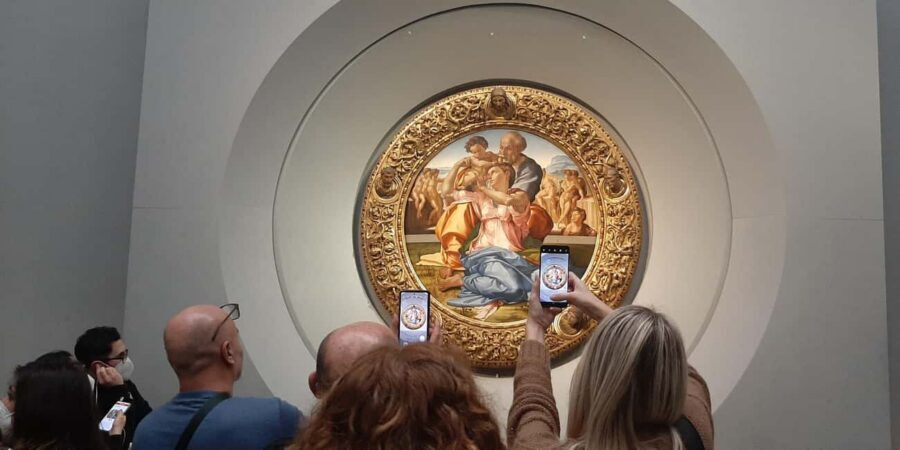
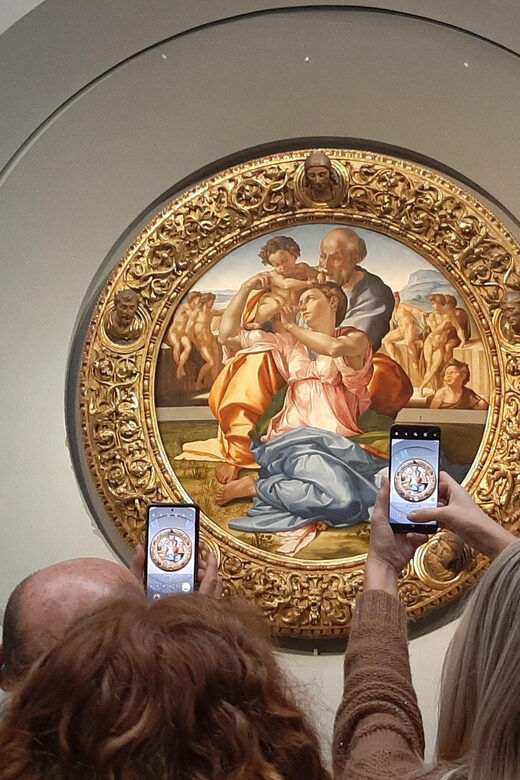
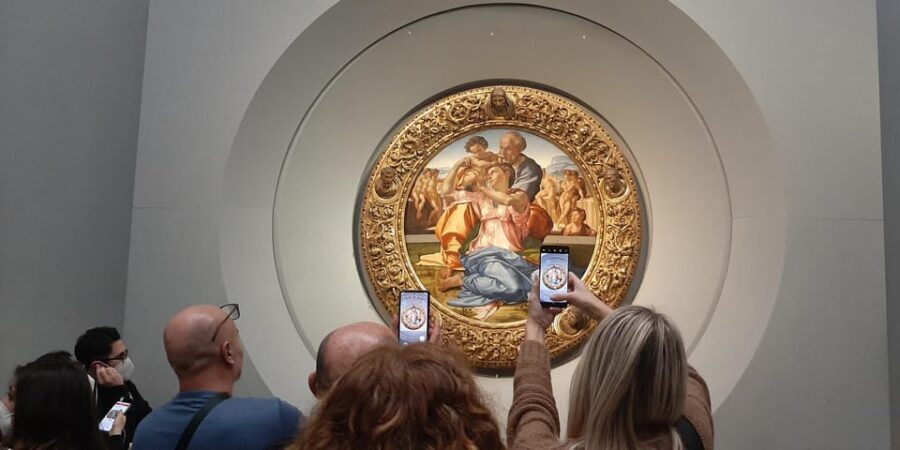
The Tondo Doni by Michelangelo is highlighted too. This is one of those works where your first impression can be “big deal,” but your understanding improves when you hear targeted commentary while you’re in front of it.
Self-guided audio helps you stay with the work long enough to notice what makes it stand out.
Caravaggio’s Bacchus
The tour also includes Bacchus by Caravaggio. Caravaggio often hits differently than the more idealized Renaissance classics, and audio can steer your attention to what makes his approach feel urgent or dramatic.
This is a smart inclusion because it breaks the “everything is the same vibe” problem you can run into when you only follow the biggest Renaissance names.
Plus other masters
The experience also mentions many other works beyond these named pieces. In practice, that means the audio tour is there to support a broader visit, not just a short list.
If you’re undecided about what to focus on, the app’s icons and 3D map help you expand naturally from the essentials.
Pacing your visit: making the freedom actually work

You’re told you can spend as much time as you wish with the displayed artworks. That’s great on paper, but it’s also where visitors can get lost in their own good intentions.
So I’d pace it like this:
- Pick 2 to 4 anchor works from the featured list (for example Botticelli + Leonardo).
- Use the app map to plan the path between them.
- Then leave room for detours once you’re inside.
Because it’s self-guided, your time management becomes your superpower. The best use of audio isn’t to listen to everything start-to-finish. It’s to listen when you need help understanding what you’re seeing right now.
Also wear comfortable shoes. The experience explicitly suggests it, and that’s not a generic line—it’s because long museum days punish anything that’s even slightly uncomfortable.
Value check: is $61.49 worth it?
At $61.49 per person, you’re paying for three practical things:
- A museum skip-the-line entrance ticket tied to the booking setup.
- Assistance at the meeting point and immediate ticket delivery at the entrance.
- A smartphone audio tour with a 3D map and icons in multiple languages.
That can be good value if:
- You’re motivated to avoid the ticket-office chaos.
- You’re comfortable using your smartphone as your main guide.
- You can show up ready with a charged device and headphones.
The cost can feel less justified if either of these fails in your hands-on experience. The app depends on your phone, and the entrance depends on how the skip-the-line process works at that moment. If you arrive unprepared—low battery, no headphones—you end up paying money to then spend time fixing the basics.
Also consider that adult pricing applies to all participants and the activity isn’t available for kids under 12. If you’re traveling as a family with younger kids, this may simply not fit your group plans.
Small risks to watch (so the visit doesn’t wobble)
This kind of self-guided setup is usually smooth when everything is ready. But here are the specific pressure points you can plan around:
Headphones aren’t included
The tour makes it clear that headsets are not included. Since the audio lives on your phone, you need headphones to actually enjoy the commentary.
You need your own smartphone, fully charged
The “bring a charged smartphone” instruction is not optional. If your battery is weak, you may lose audio at the worst moment—when you’re standing in front of something that you’d normally spend time with.
Skip-the-line only helps if the process matches the promise
The experience markets skip-the ticket line by using a reserved entrance for booking holders near door n. 1. Still, make sure you understand how your booking is being processed when you arrive, and don’t assume any line situation will automatically be painless.
The app is your guide, so treat it like a tool
Because the audio is tied to the interactive app, it’s worth being a little cautious about tech reliability. Plan to keep your phone brightness reasonable, hold a steady signal if needed, and be ready to troubleshoot quickly if audio doesn’t start on schedule.
Who this suits best

This experience is a strong match for:
- Art lovers who want a self-guided museum experience at a comfortable pace.
- Visitors who enjoy learning as they look, using audio commentary in their preferred language.
- People who like navigation support, especially with the 3D map and icons.
It may be less suitable if:
- You’re traveling without headphones or you expect your phone to run on fumes.
- You dislike app-based guidance and want a human guide’s constant presence.
- You’re traveling with children under 12, since the activity isn’t available for ages 0–11.
Should you book this Uffizi skip-the-line + app?

Book it if you want to trade some decision-making stress for a straightforward setup: meet near door n. 1, get your ticket and app code at the entrance, then roam with audio and a 3D map.
Skip it (or at least rethink it) if you know you’ll struggle with phone tech on the day. In a museum, small friction adds up fast. If your device isn’t ready, the experience can turn from “easy and independent” into “why isn’t the audio working.”
My rule of thumb: if you’re the kind of person who enjoys museum time on your own terms—and you can walk in with a charged phone and headphones—this is a smart way to make the Uffizi feel less overwhelming and more under your control.
FAQ
What does the Uffizi skip-the-line ticket include?
It includes museum skip-the-line entrance, assistance at the meeting point, and immediate ticket delivery service at the entrance.
Where do I meet the assistant?
You meet close to door n. 1, at an entrance reserved to the booking holders.
How do I get the app access code and ticket?
The app code and the skip-the-line ticket are delivered to you at the museum entrance.
Do I need a smartphone and headphones?
Yes. You need your own smartphone, and you also need headphones to hear the audio tour. Headsets are not included.
What languages are available for the audio tour?
The audio tour is available in Chinese, English, French, German, Italian, and Spanish.
Who is this experience for?
It is not available for children aged 0–11, and adult price applies to all participants.
How long is the ticket valid?
It is valid for 1 day. Starting times depend on availability.
What’s the cancellation policy?
Free cancellation is available up to 24 hours in advance for a full refund.
You Might Also Enjoy




More Guided Tours in Florence
- The Best tour in Florence: Renaissance & Medici Tales – guided by a STORYTELLER
★ 5.0 · 12,316 reviews

More Tickets in Florence



More Tour Reviews in Florence
- Tuscany Day Trip from Florence: Siena, San Gimignano, Pisa and Lunch at a Winery
★ 5.0 · 21,634 reviews - The Best tour in Florence: Renaissance & Medici Tales – guided by a STORYTELLER
★ 5.0 · 12,316 reviews