
REVIEW · FLORENCE
Florence: Accademia Gallery Ticket with APP Guide
Book on GetYourGuide →Operated by CAF Tour & Travel · Bookable on GetYourGuide
Accademia is one of Florence’s quickest ways to feel the power of Michelangelo. With a smartphone app built for the museum, you get a timed entry and follow a simple audio route through the original David and other famous works at your own pace. It’s especially nice if you don’t want to spend your visit hunting for what to see.
I also like the way this experience is set up to keep you moving without fuss: you pick up your museum app code and skip-the-line ticket at the meeting point, then you’re ready to go. The only real watch-out is also simple—your phone has to be charged and ready, because the whole guide lives there.
In This Review
- Key things to know before you go
- Accademia in Florence, guided by your phone
- Getting your timed entry at Via Ricasoli and Piazza San Marco
- Inside the gallery: David and a route you can actually follow
- Art highlights you shouldn’t miss (and why)
- Original David: the reason most people come
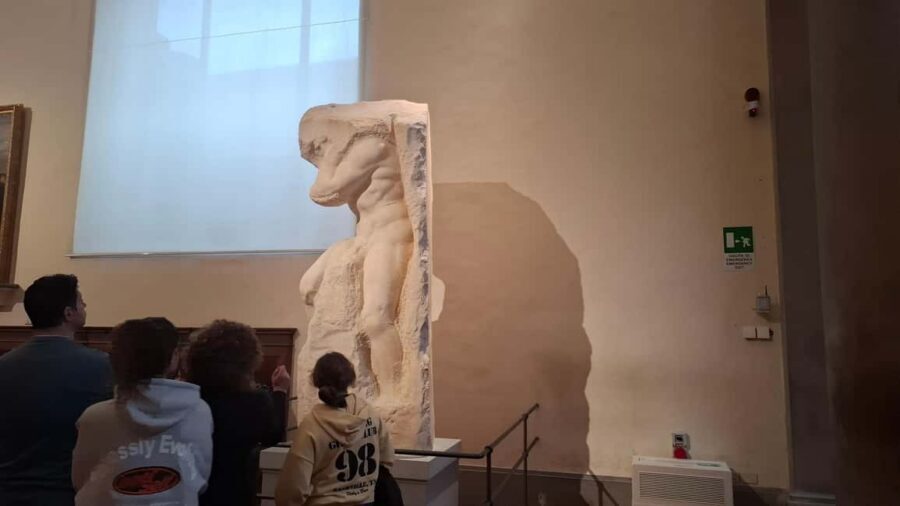
- I Prigioni: Michelangelo’s tension in marble
- San Matteo: the sculptor as storyteller
- Palestrina Pietà: emotion you can’t rush
- The audio tour and 3D map: how to use it without frustration
- How long two hours really works in Accademia
- Price and value: why $44.41 can make sense
- Optional add-on: pairing with a Florence walking tour
- Who this app-guided Accademia ticket suits best
- Quick checklist for a smooth visit
- Should you book this Accademia Gallery app ticket?
- FAQ
- Where do I meet for this Accademia Gallery ticket?
- Do I need to download an app before I arrive?
- Will I be able to skip the ticket line?
- How long is the visit?
- What languages are available for the audio guide?
- What major works will the app guide me to?
- Do I need to bring anything?
- Is this suitable for children?
- Is cancellation refundable?
Key things to know before you go
- Timed entry helps you avoid long, stop-and-start lines.
- 3D map with icons is designed to get you from one masterpiece to the next.
- Multi-language audio (including English, French, German, Spanish, Italian, and Chinese) keeps you oriented.
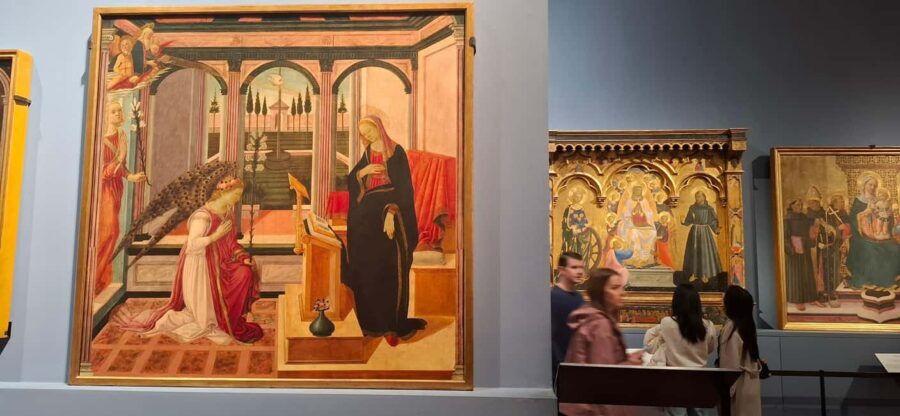
- You’ll focus on Michelangelo’s biggest hits: David plus works like I Prigioni, San Matteo, and the Palestrina Pietà.
- Small group size (up to 10) keeps the pick-up process calm and quick.
Accademia in Florence, guided by your phone
The Accademia Gallery can feel intimidating at first, mostly because Michelangelo’s name is everywhere and it’s easy to lose track of which room holds which masterpiece. This app-guided setup solves that. I like that it acts like a museum assistant you can pause, replay, and follow whenever your feet are ready.
You’ll get the museum map inside the app, plus audio and written commentary. Instead of listening to a random narration while you wander, the app is meant to guide you directly to the key works—so your time in the museum stays focused on the art you came for.
If you’re visiting for a “see David, then decide what else” day, this is a practical way to do it. You get structure without feeling trapped.
You can also read our reviews of more tours and experiences in Florence


Getting your timed entry at Via Ricasoli and Piazza San Marco
The meeting point is right where you want to be: at the corner between Via Ricasoli and Piazza San Marco, in front of the loggiato of Accademia delle Belle Arti. An assistant in blue clothing with the CAF logo is there to help you find the process quickly.
Here’s what matters in real-life terms: the assistant delivers your entrance ticket at the meeting point, in front of the museum. That means you’re not standing at the ticket office trying to untangle lines and timing while the building buzzes around you.
You’ll also receive the app code at that meeting point. So by the time you reach the entrance, you’re set up to start the audio route without delays.
Inside the gallery: David and a route you can actually follow
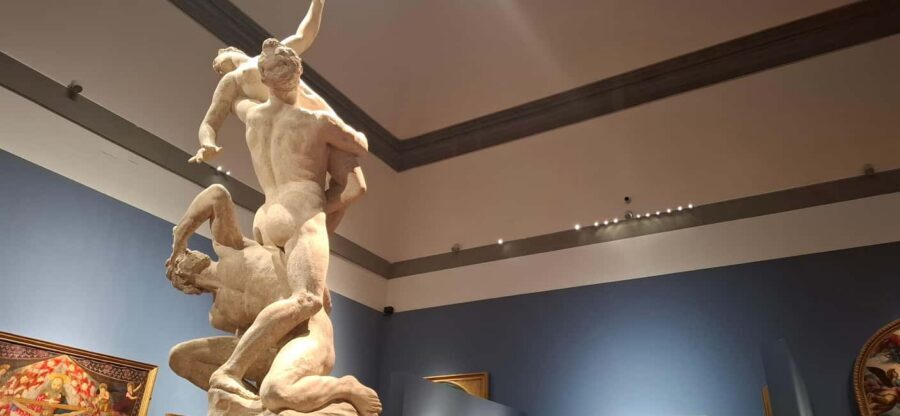
Once you enter, the app becomes your route planner. I like this design because it turns a huge museum visit into a sequence of moments. You follow icons on a 3D map, and the audio commentary is aligned with what you’re looking at.
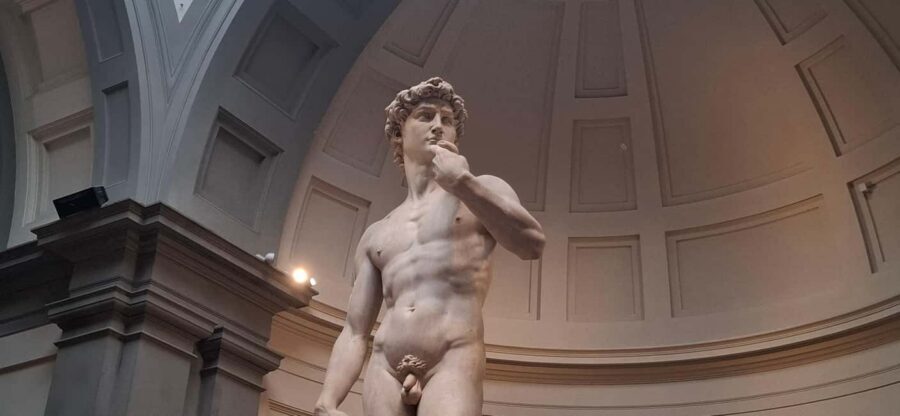
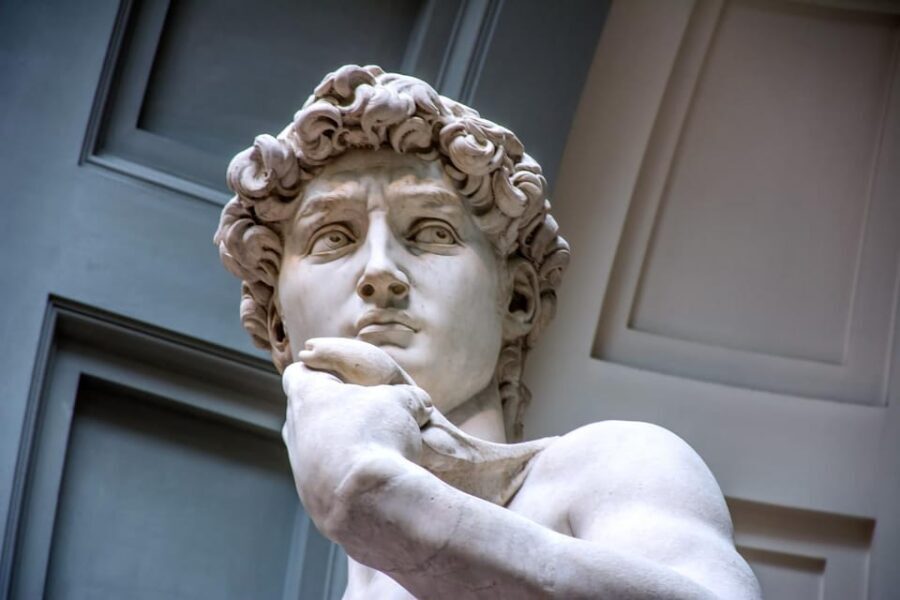
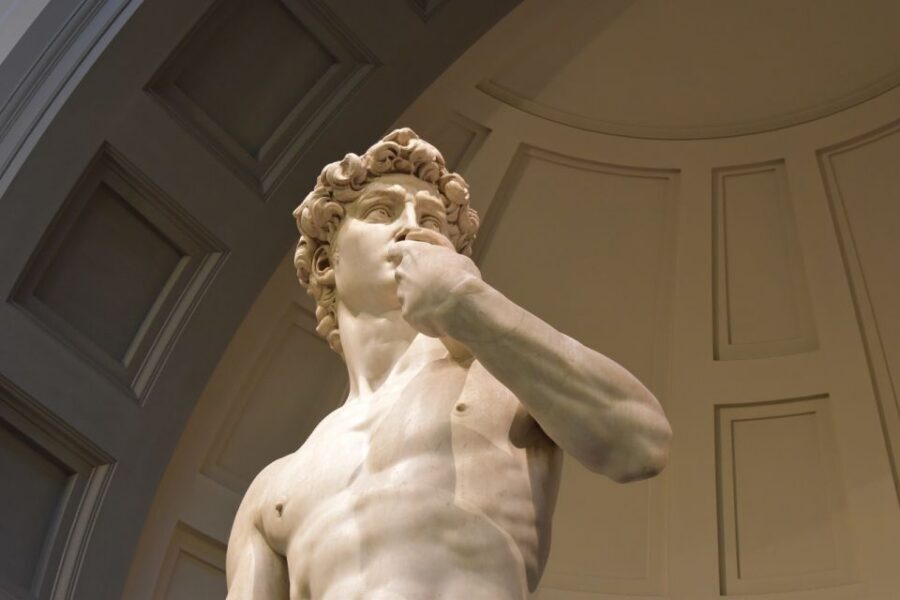
The headline work is the original Michelangelo’s David. Standing there is still one of those “okay, wow” experiences—even if you’ve seen photos a hundred times. The app helps you slow down at the moments that matter, like learning what you’re looking at and why the sculpture matters in the Renaissance story.
From there, the route guides you toward several other major Michelangelo pieces. The tour description calls out:
- I Prigioni (the Prisoners)
- San Matteo
- Palestrina Pietà
This matters because it prevents the common mistake of turning the visit into “I saw David and a few rooms.” With the app, you’re nudged toward a fuller Michelangelo-focused set of works.
Art highlights you shouldn’t miss (and why)

Original David: the reason most people come
David is the star, but don’t treat it like a quick photo stop. Spend a little time letting the details land. The app’s audio and written notes help you look longer and more intentionally, which is the difference between seeing a statue and understanding what Michelangelo was doing with form, proportion, and the attitude of the figure.
You can also read our reviews of more guided tours in Florence
- The Best tour in Florence: Renaissance & Medici Tales – guided by a STORYTELLER
★ 5.0 · 12,316 reviews




I Prigioni: Michelangelo’s tension in marble
If David feels like confidence, I Prigioni feels like struggle and release happening in stone. The Prisoners works are famous for that sense that bodies are emerging from the block. Even if you don’t know the backstory, the app’s guidance helps you stay present with what the sculpture is communicating.
San Matteo: the sculptor as storyteller
San Matteo shifts the mood. It adds a more formal, religious side to the visit, and it’s a good counterpoint after you’ve been staring at David’s iconic stance. The audio helps you connect the figure and the theme so you don’t see it as just another statue.
Palestrina Pietà: emotion you can’t rush
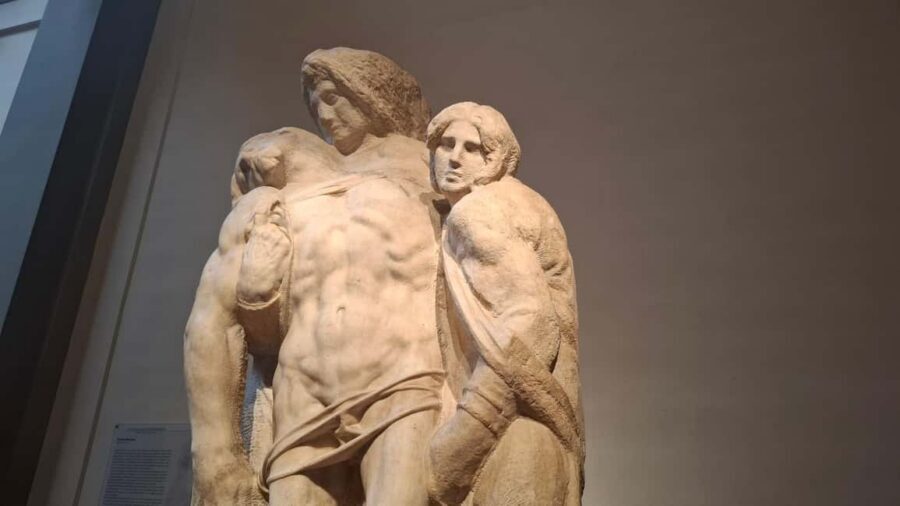
The Palestrina Pietà is the kind of work that rewards a slower glance. If you rush here, you miss how the composition and emotion work together. The app’s icons and map help you find it at the right time instead of losing precious minutes halfway through.
The audio tour and 3D map: how to use it without frustration
This is an app-guided experience, so success depends on how you use your phone. I recommend treating it like a simple tool, not a distraction.
Practical tips that make the day smoother:
- Download and have your app ready ahead of time. The information says you download it from the App Store, then use what you get at the entrance (your code) to access the museum guide.
- Keep your phone brightness up and sound on if you’re comfortable listening in public spaces.
- If you’re stopping to look at a statue for a while, pause or replay the audio so you don’t get pulled ahead by time.
The 3D map with icons is the part I think you’ll feel most. It’s meant to help you go directly to the masterpieces instead of wandering randomly. In a museum like Accademia, that single advantage protects your energy.
Also, the audio is high quality and available in several languages (Spanish, Chinese, English, French, German, Italian). So if you’re traveling with friends who don’t speak English, you’re not stuck with one language or one awkward translation.
How long two hours really works in Accademia
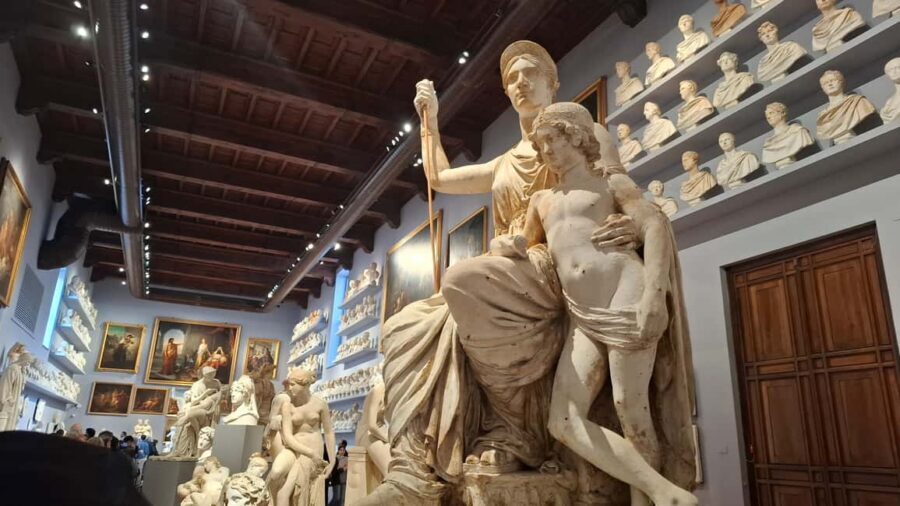
The visit is set for about 2 hours. That’s a good window for most people who want the highlights without turning the day into a marathon.
In practice, you’ll likely spend your time in three patterns:
- Quick orientation using the map and icons
- A deeper look at David
- Moving through the next Michelangelo works at a comfortable pace
You can go faster or slower based on your attention level. The app approach gives you control—no one is pulling you along at a strict lecture pace, and that freedom is part of the value.
One small consideration: the museum is still a real museum with real crowds at certain times of day. Timed entry helps, but your pace inside depends on what’s happening around each room.
Price and value: why $44.41 can make sense

At $44.41 per person, this isn’t the cheapest way to visit Accademia. But it’s also not trying to be “just a ticket.”
You’re paying for:
- Guaranteed entry time (so you’re not gambling on lines)
- An app guide with audio + written commentary
- A route tool (map with icons) designed to help you find the right masterpieces
- Ticket delivery by an assistant at the meeting point, which removes one layer of stress
- Small group handling (limited to 10 participants)
If you’ve ever spent a museum visit stuck in confusion—missing the one thing you cared about, or arriving too late and losing half your time—this format is likely to feel worth it. You’re essentially buying fewer hassles and a guided structure you control.
If you’re the type who loves reading every label and wandering freely with no phone, then an audio app might feel like extra. But for most first-timers who want Michelangelo’s core works, the structure is the point.
Optional add-on: pairing with a Florence walking tour
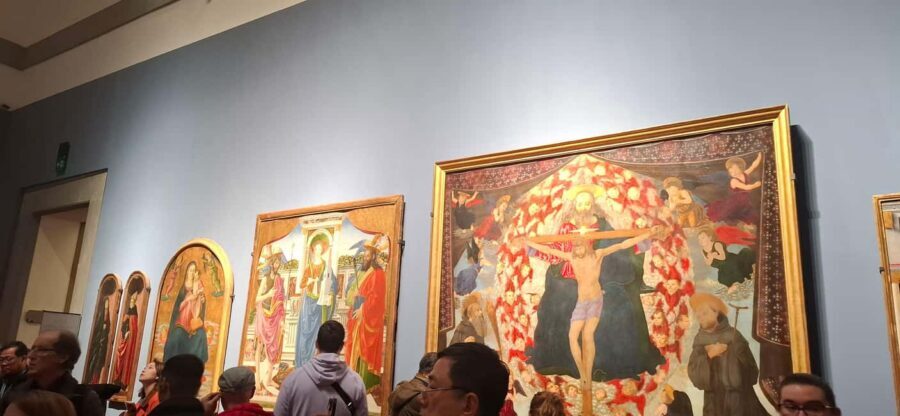
There’s an option for a Heart of Florence Guided Walking Tour. The key idea is that you get guided context first, then the app supports unlimited self-guided sightseeing using your device.
After the walking tour, the app suggests additional itineraries that you can join at your leisure. That can be a smart way to keep momentum after Accademia without feeling like you need to plan every next stop from scratch.
If you only have a short time in Florence, this pairing can help you connect what you saw in the museum with what you’ll notice in the city.
Who this app-guided Accademia ticket suits best
This works especially well if you:
- Want a Michelangelo-focused visit that doesn’t rely on a live group guide
- Prefer your own pace but still want a clear route
- Like the idea of a museum plan on your phone instead of paper
- Are traveling in a small group (up to 10) and want an organized entry
A couple of constraints to know:
- It’s not available for children under 12 (it notes 0–11 year olds not being available)
- Adult pricing applies to all participants
If you’re a casual visitor who only wants a quick photo of David, you might find the app helpful but not necessary. If you’re a Renaissance fan or you want a more meaningful first visit, the audio structure tends to pay off.
Quick checklist for a smooth visit
Before you go, I’d make sure you have:
- A charged smartphone
- Your app set up enough to use the code you’ll receive at the meeting point
- Time in your day to stick around for the main works without rushing
And once you’re inside, start with the map, not the first random room. That one habit saves you time and keeps the experience focused.
Should you book this Accademia Gallery app ticket?
I’d book it if your goal is simple: see Michelangelo’s most famous works at Accademia with fewer logistical headaches. The timed entry, the assistant pickup of your ticket, and the app’s 3D map and audio route are built to make your visit feel organized without a rigid schedule.
Skip it only if you strongly prefer a completely label-and-wander experience, or if you’re likely to arrive with a low battery and no way to keep your phone usable. This tour leans on your smartphone—so plan around that and you’ll get a smoother, more satisfying visit.
FAQ
Where do I meet for this Accademia Gallery ticket?
You meet at the corner between Via Ricasoli and Piazza San Marco, in front of the loggiato of Accademia delle Belle Arti. An assistant in blue clothing with the CAF logo will be there.
Do I need to download an app before I arrive?
Yes. The instructions say you download the app from the App Store onto your smartphone, then you receive an app code at the museum entrance meeting point.
Will I be able to skip the ticket line?
Yes. Your timed-entry ticket and skip-the-line access are part of the experience, and the entrance ticket is delivered directly at the meeting point in front of the museum.
How long is the visit?
The experience is listed as 2 hours.
What languages are available for the audio guide?
The optional audio guide is available in Spanish, Chinese, English, French, German, and Italian.
What major works will the app guide me to?
The description highlights the original David plus other works including I Prigioni, San Matteo, and Palestrina Pietà.
Do I need to bring anything?
Bring a charged smartphone. The app guide requires you to have your phone handy.
Is this suitable for children?
No. It’s not available for 0–11 year olds, and the tour notes it’s not suitable for children under 12.
Is cancellation refundable?
Yes. The information says you can cancel up to 24 hours in advance for a full refund.
You Might Also Enjoy



More Guided Tours in Florence
- The Best tour in Florence: Renaissance & Medici Tales – guided by a STORYTELLER
★ 5.0 · 12,316 reviews

More Tickets in Florence



More Tour Reviews in Florence
- Tuscany Day Trip from Florence: Siena, San Gimignano, Pisa and Lunch at a Winery
★ 5.0 · 21,634 reviews - The Best tour in Florence: Renaissance & Medici Tales – guided by a STORYTELLER
★ 5.0 · 12,316 reviews